Regions
Note: This article explains how to identify the Regions where your visitors are from.
If you want to analyze where the visitors of your Product Guides are located, please use the report Visitors | Locations.
How to use the interactive map
Section titled “How to use the interactive map”The interactive map allows you to click on the continent / country and drill down to the level of states:
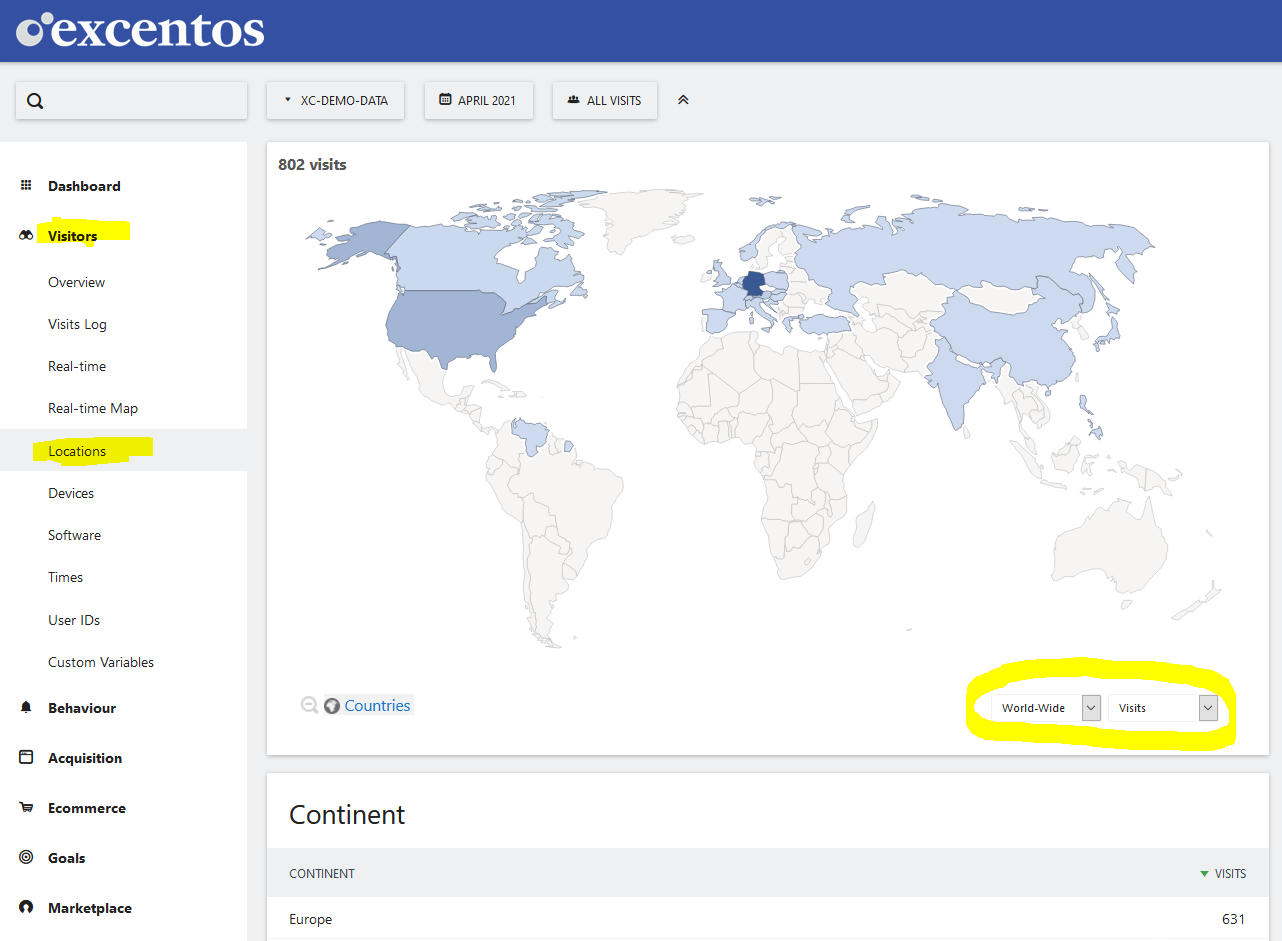
As indicated in the screen (bottom right), you can also change the metrics (e.g. from Visits to Actions / Bounce Rates etc).
You can then drill down into any state, for example:
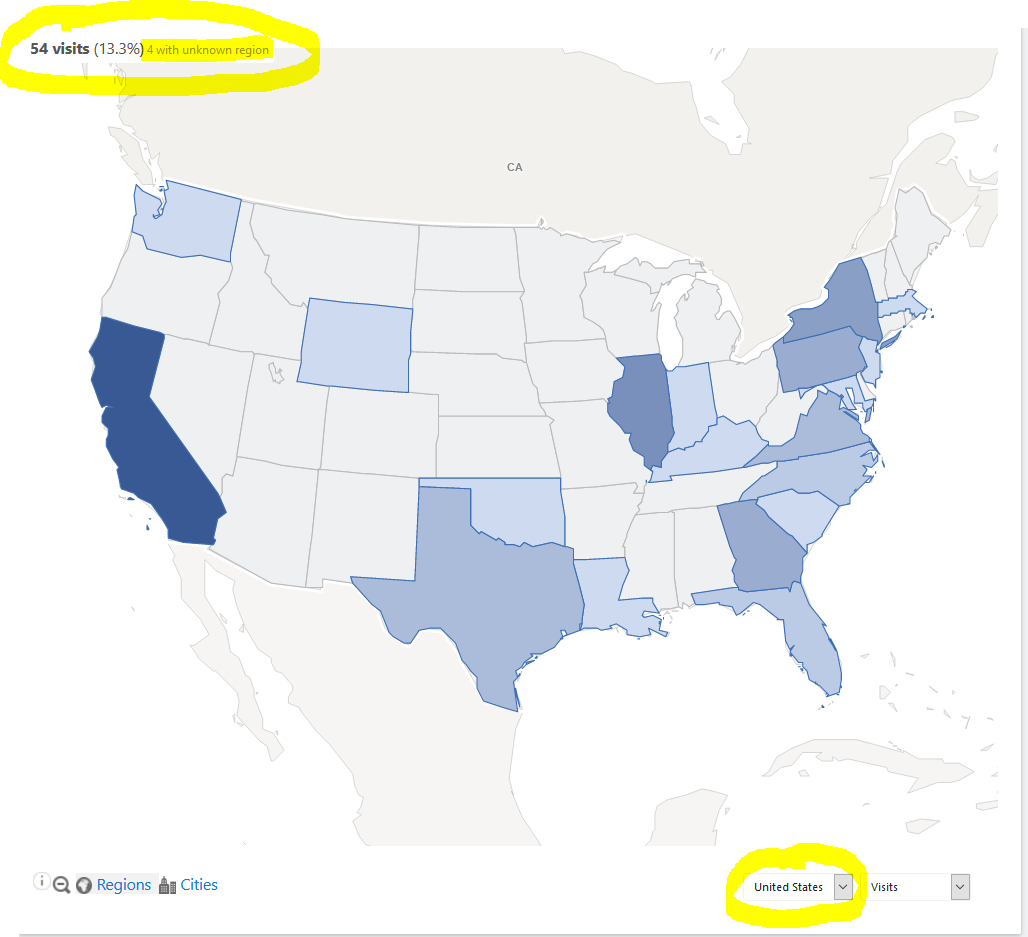
By using the dropdown, you can select other countries and also “zoom out” of the selected country again (if you select “World-Wide”).
ℹ️ Depending on whether the visitors can be clearly assigned to a region or not, there might be some users with “unknown region” (see example in the screen above).
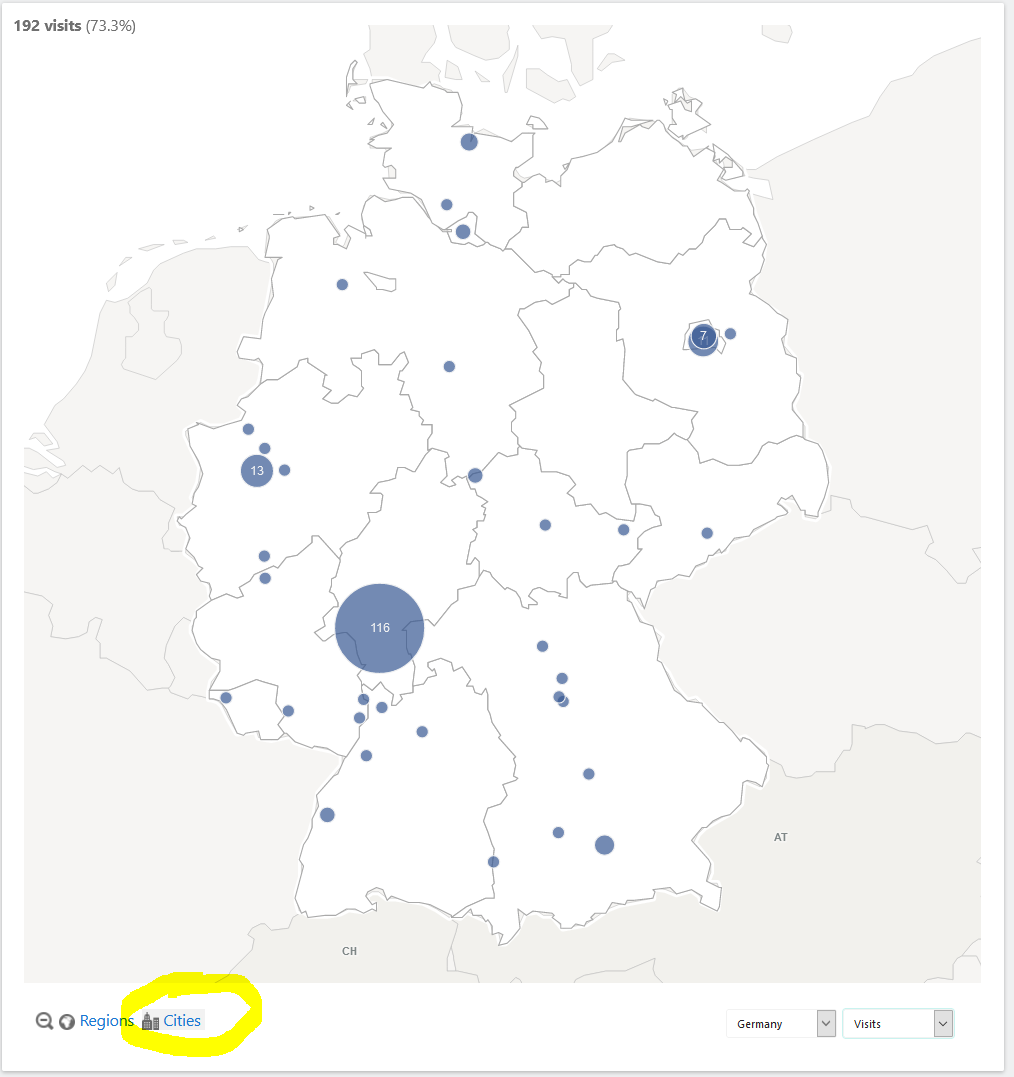
Switching from Region to City
Section titled “Switching from Region to City”The “Region to City” switcher allows you to analyze the traffic by city: