
Consent via GTM Consent Mode
The Google Tag Manager offers a unified solution to Consent Management with Consent Mode.
Consent mode allows you to adjust how your Google tags behave based
on the consent status of your users and enables Google to model for gaps in conversions.
This behaviour is mainly intended to allow tags to respect user consent
before firing. This is useful for GDPR compliance.
It also helps to communicate consent into a wider context, as GTM saves
consent information into the dataLayer object.
The dataLayer is a JavaScript object that is used to pass information from your website to your Tag Manager container.
Excentos can access
the dataLayer and read the user specific consent information stored
there. This allows to, independent
of which Consent Management Tool you happen to use, trigger any tracking
and cookie operations only when the user has agreed to them.
Note: This guide assumes the presence of a dataLayer.
Step-by-step guide
Section titled “Step-by-step guide”First, enable consent overview.
Section titled “First, enable consent overview.”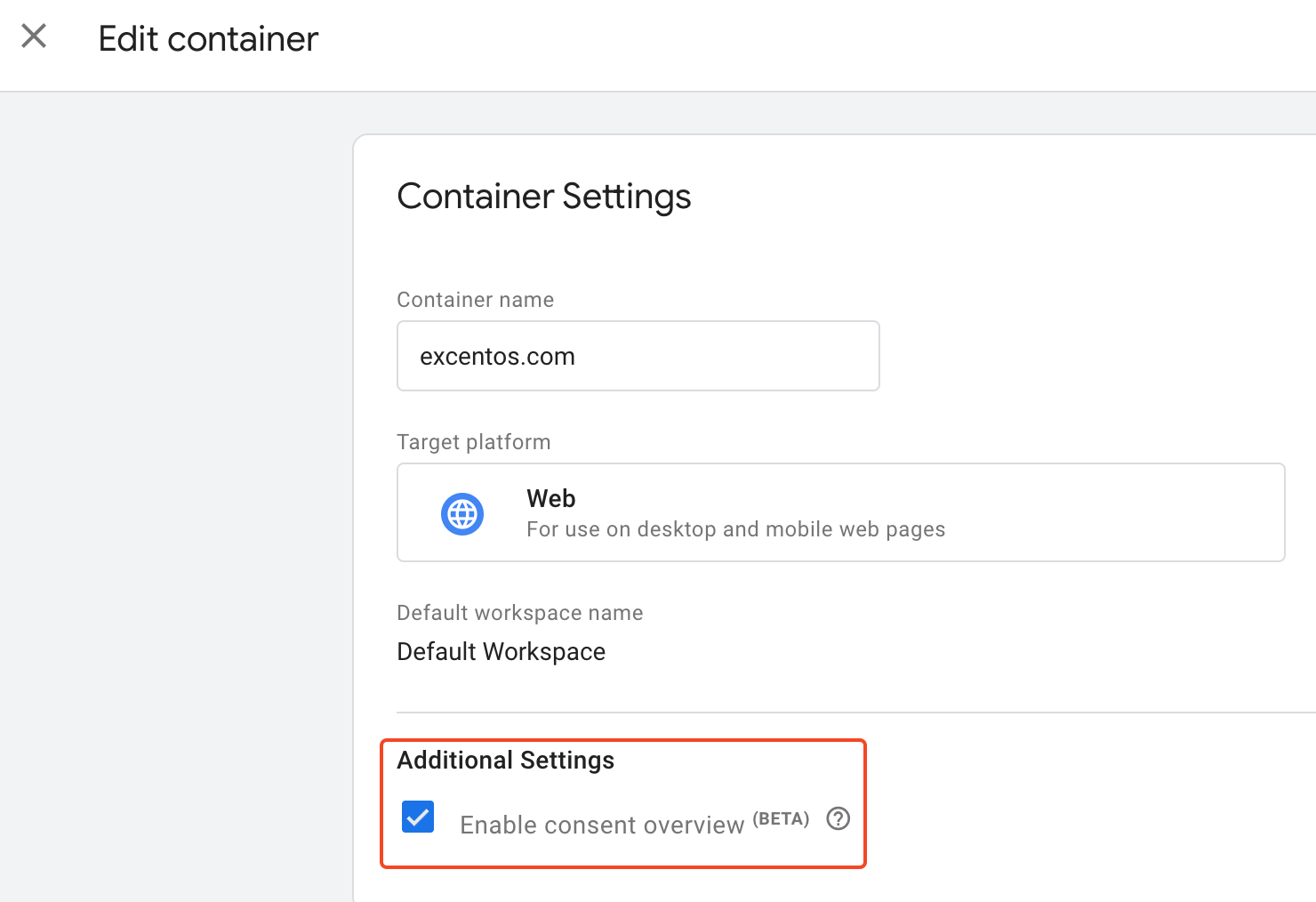
Navigate to the Community Template Gallery.
Section titled “Navigate to the Community Template Gallery.”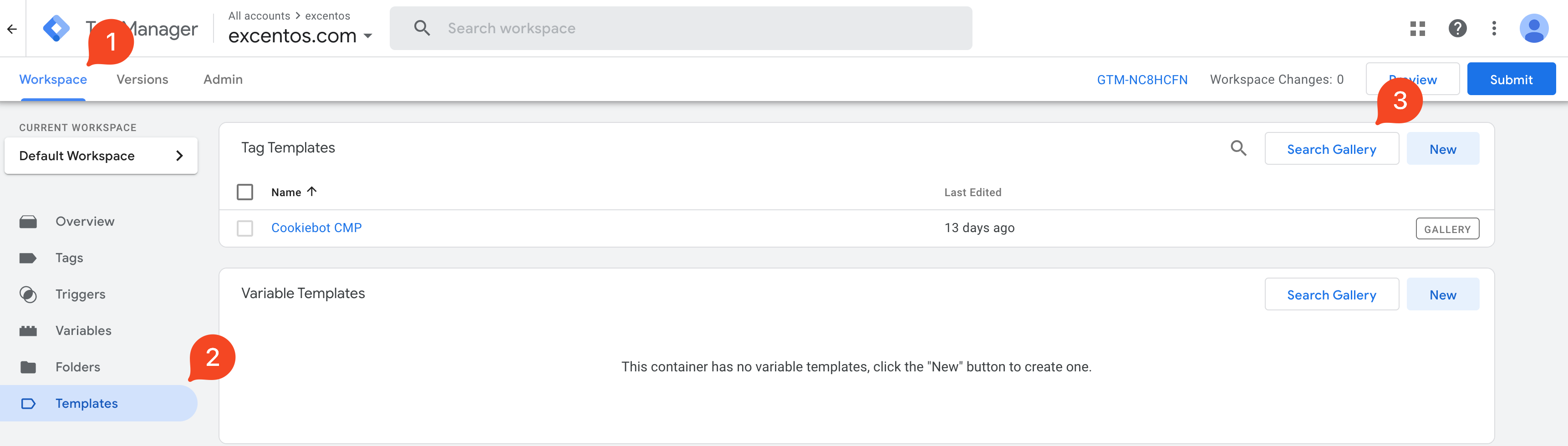
Find your the correct template for your cookie consent solution.
Section titled “Find your the correct template for your cookie consent solution.”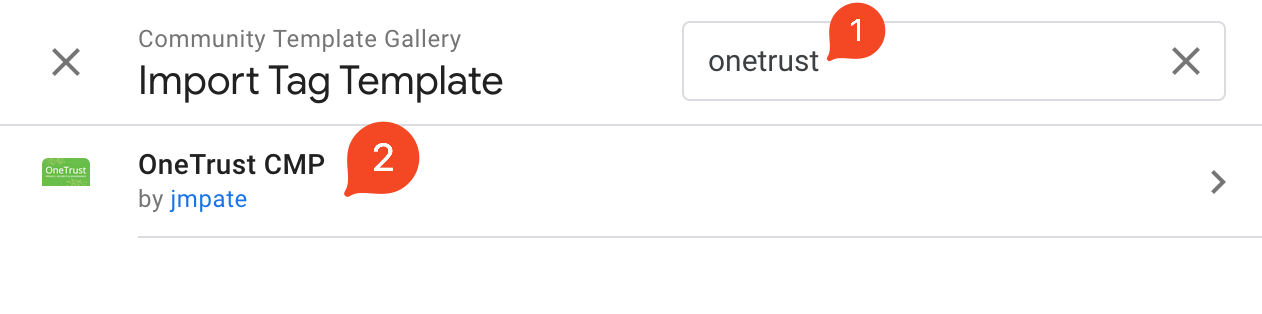
Add the template to your workspace
Section titled “Add the template to your workspace”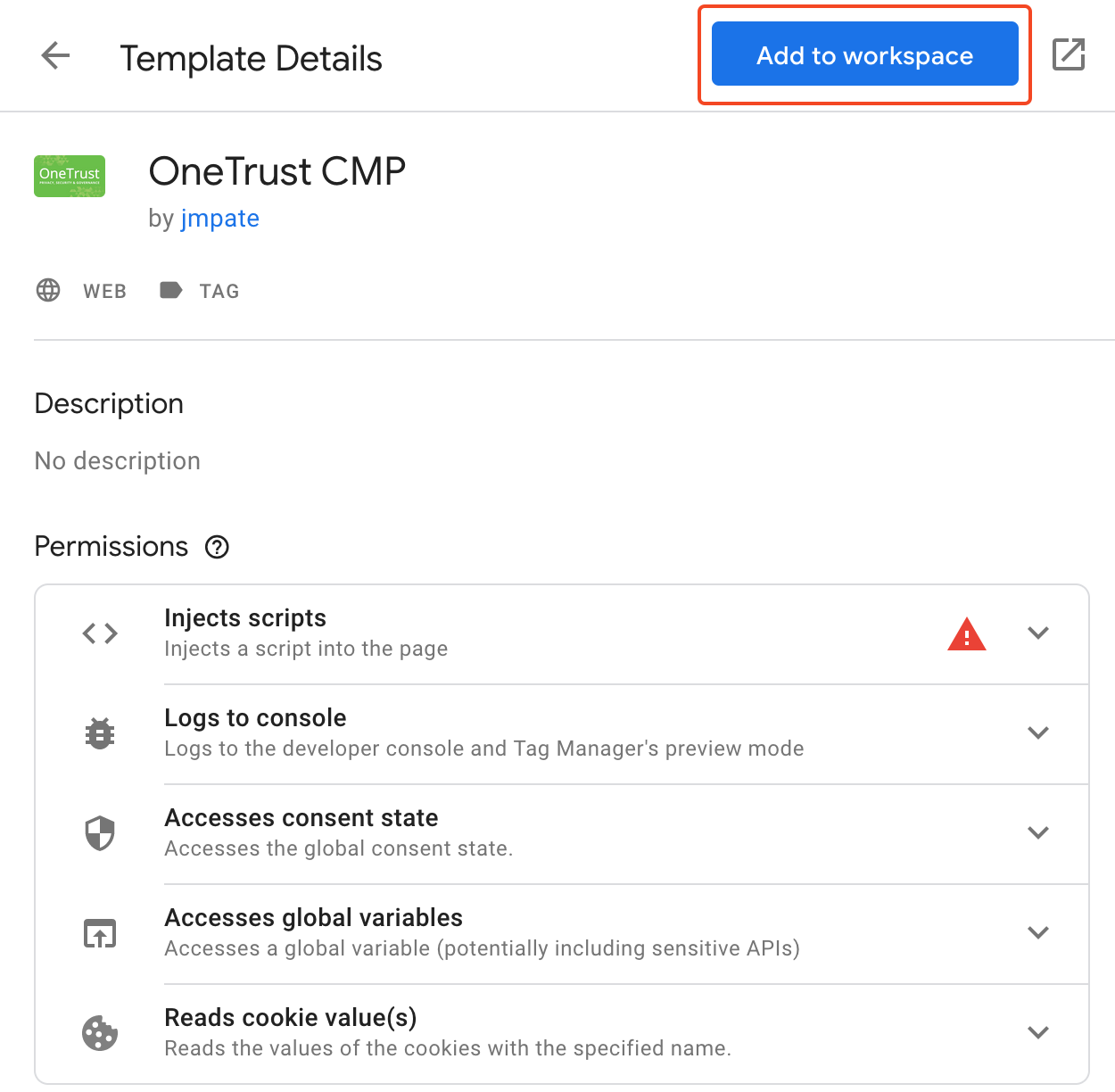
Note: Please make sure to read the code of the script you are integrating!
Related articles
Section titled “Related articles”https://developers.google.com/tag-platform/devguides/privacy#consent_mode_
https://support.google.com/google-ads/answer/10000067?hl=en-GB
https://developers.google.com/tag-platform/devguides/consent#gtag.js_1
https://support.google.com/tagmanager/answer/10718549?hl=en&pli=1&authuser=1
https://developers.google.com/tag-platform/tag-manager/templates/consent-apis
https://www.seerinteractive.com/insights/gtm-consent-mode-introduction